Member - Renew Membership |
Q: How do I renew membership?
A: To start, the member must go to SCAUG website and log in. Upon successful login, member will see a 'View profile' link (See Member - edit profile).
Following this link member will get to profile page (i.e. membership record).
The top section of this form lists key membership information - Membership level, status, date joined and renewal date and provides functionality to change his membership level or renew:
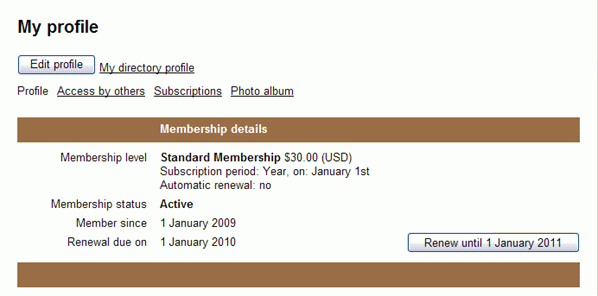
Renewal
- Membership renewal parameters are defined for every level via Membership levels.
- Clicking on the [Renewal] button will first take user to review his/her membership details where he/she can opt out whether he/her wants to update his/her profile. Next, user will proceed with the checkout (if applicable to the level)
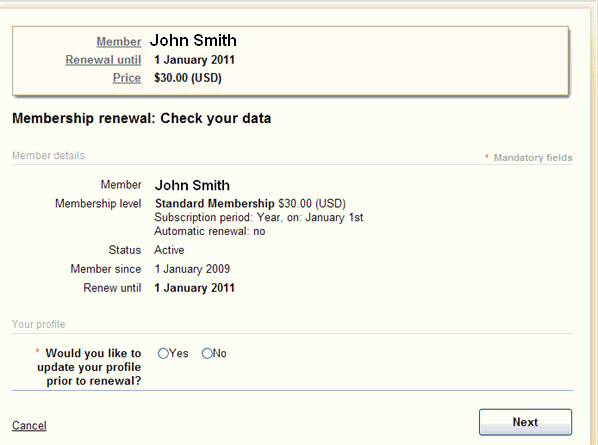
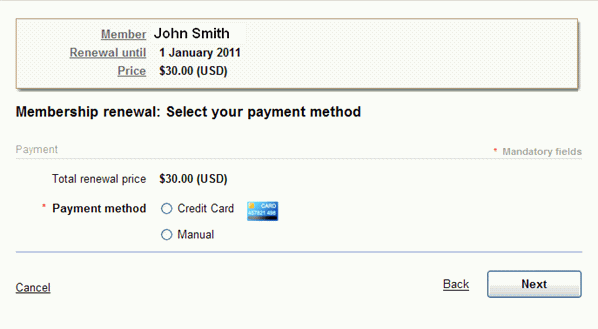
- If the online payment is successful, renewal date will be changed accordingly, otherwise his/her record will be changed to Status = Pending Renewal.
- If the manual payment was selected then his/her record will be changed to Status = Pending Renewal
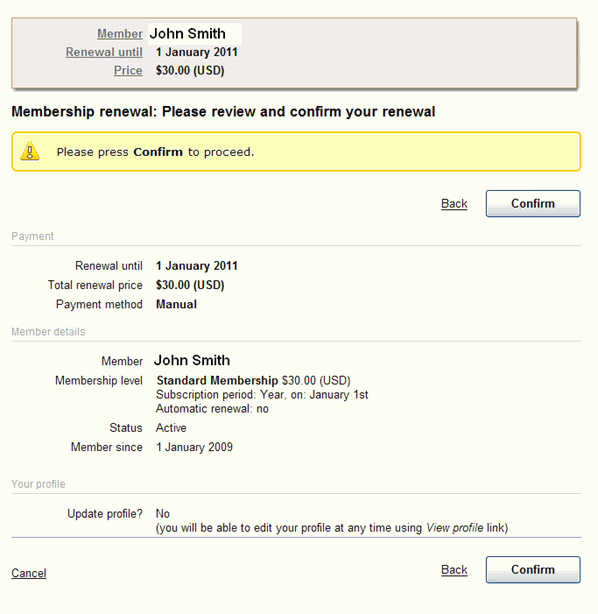
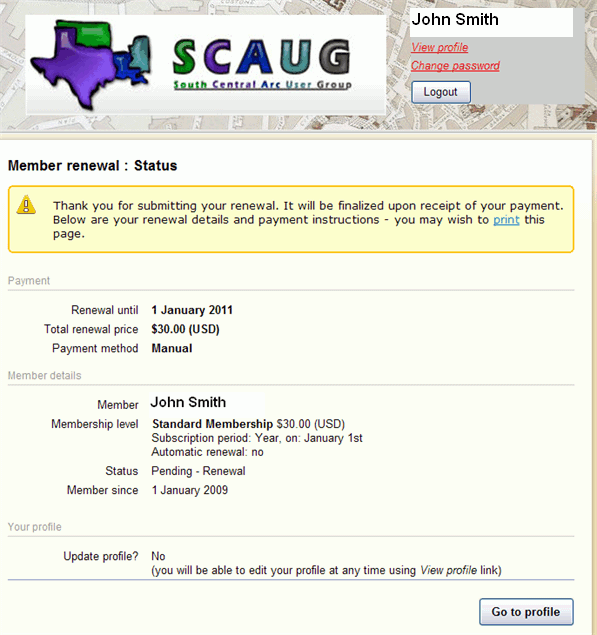
- Member can always cancel or retry the renewal using the [Cancel] button from member profile.
Note: full price of the new membership term will be billed; next renewal date will be calculated based on new level settings and payment date.
SCAUG is a not for profit organization dedicated to benefit users of ESRI’s geographic information software | Founded in 1990 | © SCAUG 2019 | | South Central Arc Users Group P.O. Box 96 Ardmore, OK 73402 |